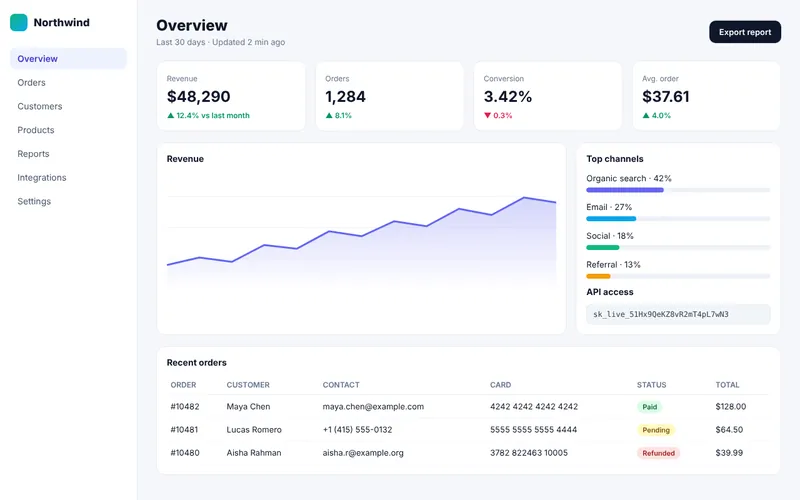
Full-page capture that just works
Z-Shot scrolls the page and stitches it into one image — long articles, dashboards, whole landing pages.
- Full page, visible area or any region
- Delay timer for menus and hover states
- Right-click or Alt+Shift+F
Full-page screenshots, annotation, mockups, screen recording with a real video editor, OCR and step-by-step guides — one Chrome extension. Your captures stay on your computer.
Try the real shortcuts: Alt+Shift+F ·A ·R
15
editing tools
14
browser & device frames
32
gradient backdrops
17
OCR languages, on-device
1440p
video export
0
images uploaded by default
Stop juggling a snipping tool, an image editor, a screen recorder and a mockup app. Hover and click the tiles — every one is a live demo.
Z-Shot scrolls the page and stitches it into one image — long articles, dashboards, whole landing pages.
Drag a box and see the size as you go — or hover a card, menu or button and capture exactly that element.

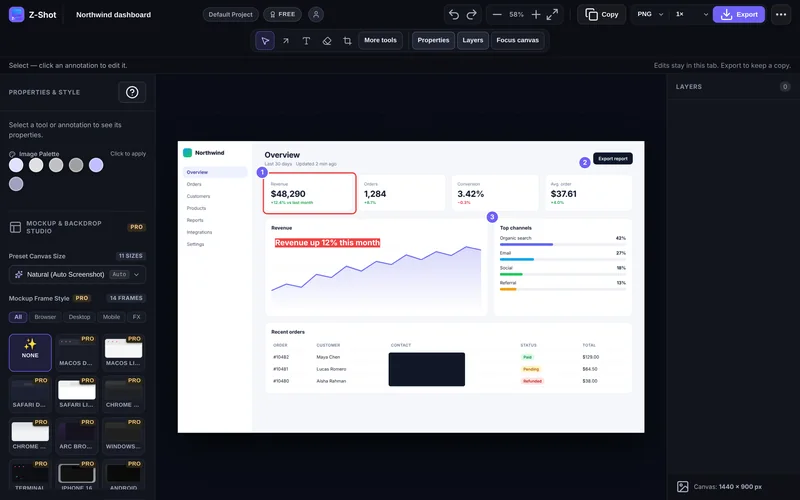
Arrows, numbered steps, highlights, callouts and blur — 15 tools with undo, layers and a ⌘K command palette.

Error messages, invoices, slides, photos — recognised on your computer, never uploaded.
$ npm run deploy
ERR_CONNECTION_REFUSED
at api/v2/orders :8443
session 7F3A-91C2
Invoice #INV-20481
Total due: $1,284.00
Recognised text
ERR_CONNECTION_REFUSED
session 7F3A-91C2
Total due: $1,284.00
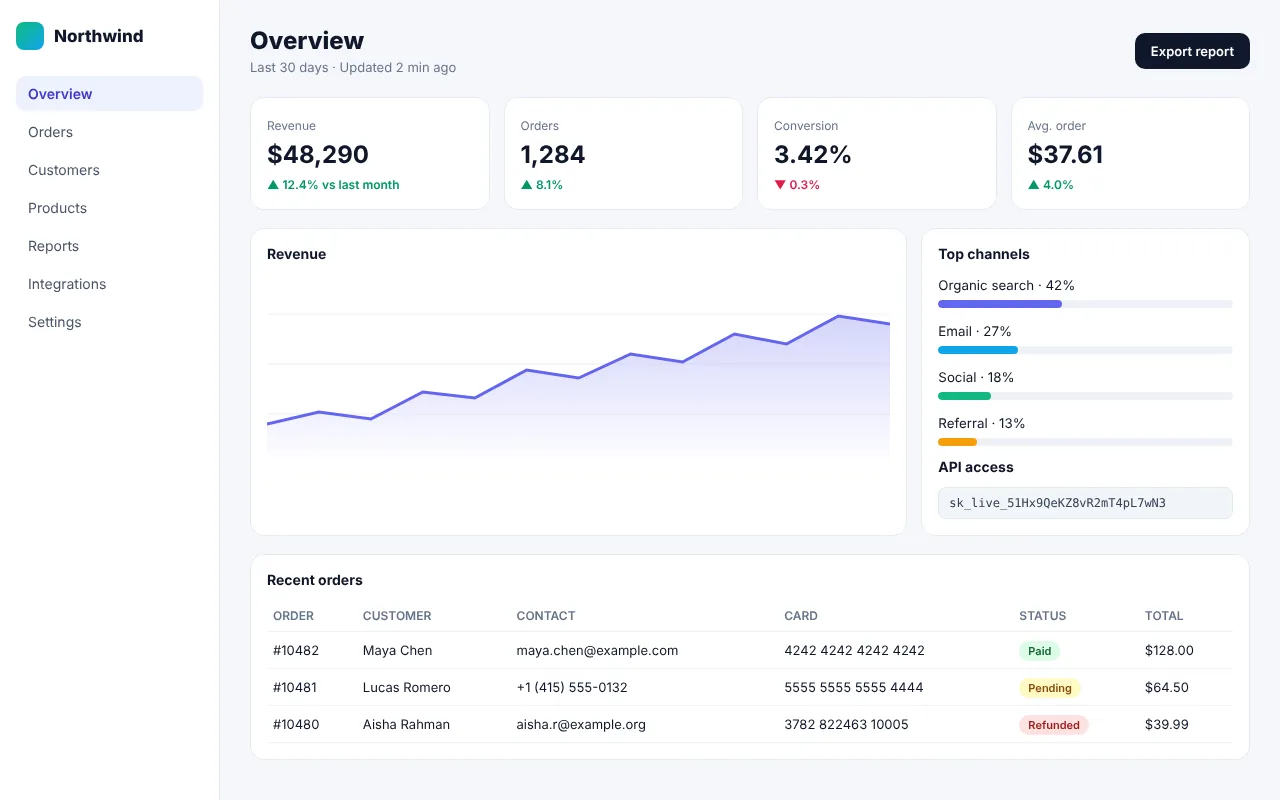
Z-Shot finds emails, phone numbers, card numbers, API keys and tokens — you check each one, then hide them.
Press record and use the website. Every click, field and menu choice becomes a step with a screenshot.

Screenshot, page details and — if you want — console errors and failed requests, in a filled-in issue.

✕ TypeError: reading 'csv'
⚠ POST /api/export 500
Export report button does nothing
• URL: northwind.app/overview
• Chrome 128 · macOS 14.6
• Viewport 1440×900 @2x
• Console: 1 error · 1 failed request
Add your logo, export at 2× or 3×, then upload straight from your browser to your own bucket or a webhook.
◆ YourBrand
your-bucket.s3.amazonaws.com/zshot/k9x2.png
Copied


$ npm run deploy
ERR_CONNECTION_REFUSED
at api/v2/orders :8443
session 7F3A-91C2
Invoice #INV-20481
Total due: $1,284.00
Recognised text
ERR_CONNECTION_REFUSED
session 7F3A-91C2
Total due: $1,284.00


✕ TypeError: reading 'csv'
⚠ POST /api/export 500
Export report button does nothing
• URL: northwind.app/overview
• Chrome 128 · macOS 14.6
• Viewport 1440×900 @2x
• Console: 1 error · 1 failed request
◆ YourBrand
your-bucket.s3.amazonaws.com/zshot/k9x2.png
Copied
This is a small part of the Z-Shot editor running in your browser. Draw an arrow, number the steps, blur the private bits, drop it in a frame and download it. Nothing is uploaded.
The full editor adds curved arrows, callouts, stickers, spotlight, crop, OCR, layers, 2×/3× export and more.
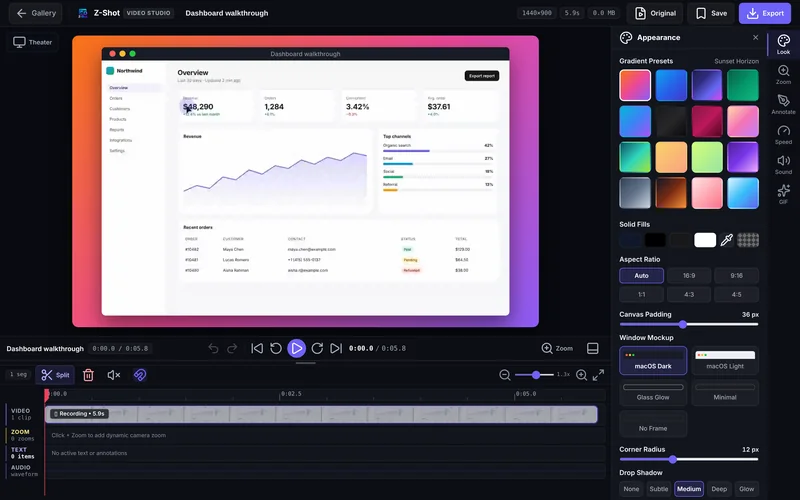
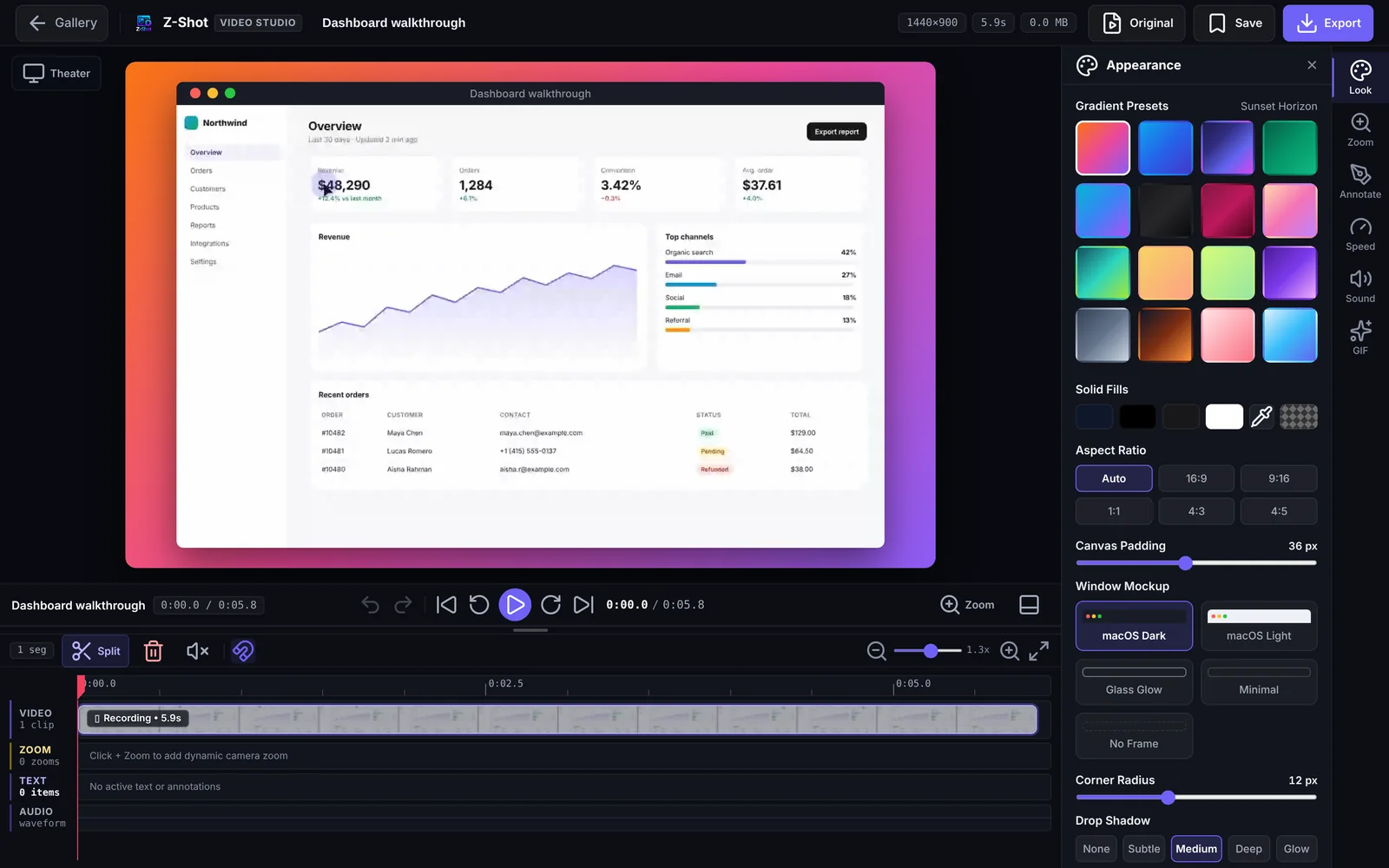
Record your screen, a window or a tab with your voice and a webcam bubble — then zoom, trim, split, annotate and style it on a real timeline, right in Chrome.
Mic + webcam bubble
Record your voice and a floating camera bubble.
Camera zoom
Zoom regions that ease in and out on the timeline.
Trim, split, speed
Cut the boring parts, mute a segment, speed up.
Annotate video
Text, arrows, highlights, spotlight and blur on top.
Drag the handle. Same screenshot — dropped into a browser frame on a gradient backdrop, ready for a launch post, a deck or a landing page.
◆ Northwind
Capture the broken state, mark it up and open a filled-in GitHub, GitLab or Linear issue with the page details already attached.
Pin feedback with callouts and steps, then turn any screenshot into a polished mockup for social posts, decks and Product Hunt.
Record a step-by-step guide by simply using the website, or send a short narrated video instead of a long email.
Demo videos with smooth zooms and branded backdrops, mockups that make your product shine, and a watermark that keeps it yours.
Screenshots, recordings and edits are kept in your browser's own storage. There is no Z-Shot cloud that holds your images.
Text recognition and auto-redaction run locally. Images are never sent to an AI service.
An image only leaves your computer when you copy, download or upload it to a destination you picked — Imgur, your own S3/R2 bucket, a webhook or your team.
Where your images go
Capture
Edit
OCR & redact
Gallery
Everything above runs here, even offline.
Move the sliders to your own numbers. Most people get their money back from the time saved on a handful of screenshots and one demo video.
Time saved / month
h
Worth / month
Pro pays for itself
× over
Pro is /month. Estimates only — move the sliders to your own numbers. Videos count as 25 minutes saved each versus recording, editing and exporting in separate apps.
Tick what you'd otherwise pay for separately.
Free gives you almost every tool with a monthly allowance — just a free account, no card. Pro removes every limit for one simple monthly price.
Almost every tool, with a monthly allowance. Just a free account, no card.
$0forever
Add to Chrome — freeUnlimited
Free every month
Allowances reset on the 1st of every month.
Everything unlimited, plus brand watermark, team seats and priority support.
$9.99 / month per seat
Get ProBilled monthly · cancel anytime
Unlimited everything
Every tool in Free, with no monthly allowance — and:
14-day money-back guarantee
Turns on in the extension when you sign in — no key to copy
Buy several seats for your team; invite them from your account
Create a free account and redeem it in your portal to unlock your lifetime plan.
Free includes almost everything, with a monthly allowance. Pro is the same tools with no limits, plus watermark, team seats and priority support.
| Feature | Free | Pro |
|---|---|---|
| Browsers | 1 | 3 |
| Local gallery | 500 MB | Unlimited |
| ▸ Capture | ||
| Region, visible area & full-page capture | ||
| Delay timer (3s / 5s) & right-click capture | ||
| Single page element capture | 30 / mo | Unlimited |
| ▸ Edit & annotate | ||
| Arrows, shapes, text, highlights & numbered steps | ||
| Manual blur & solid redaction | ||
| Auto-detect emails, phones, cards & API keys | 10 / mo | Unlimited |
| On-device OCR text recognition (17 languages) | 20 / mo | Unlimited |
| ▸ Mockups & export | ||
| PNG, JPEG & WebP export, copy to clipboard | ||
| Social media sizes & custom gradients | ||
| Browser & device mockups, backdrops, 3D tilt | 15 / mo | Unlimited |
| 2× / 3× high-resolution export | 10 / mo | Unlimited |
| Brand Kit logo / text watermark | — | |
| ▸ Record & Video Studio | ||
| Screen, window & tab recording with microphone | 25 / mo | Unlimited |
| Recording length | 5 min max | Any length |
| Webcam bubble | 5 / mo | Unlimited |
| Timeline editor: trim, split, zoom, speed, annotate | ||
| ▸ Workflow | ||
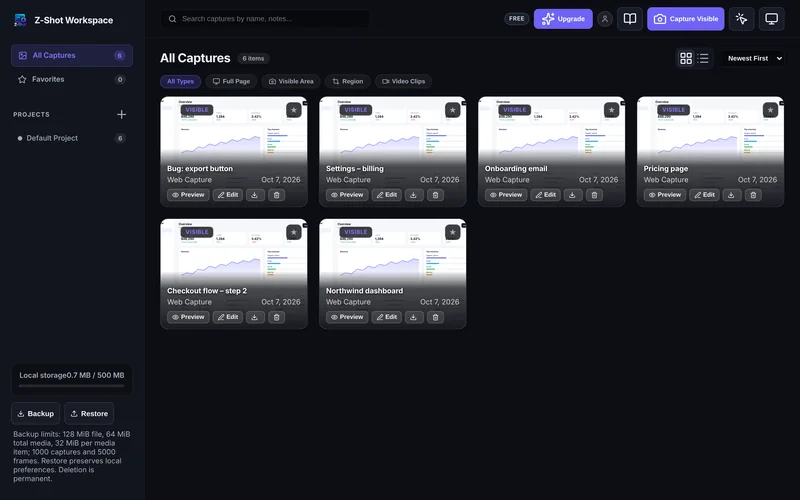
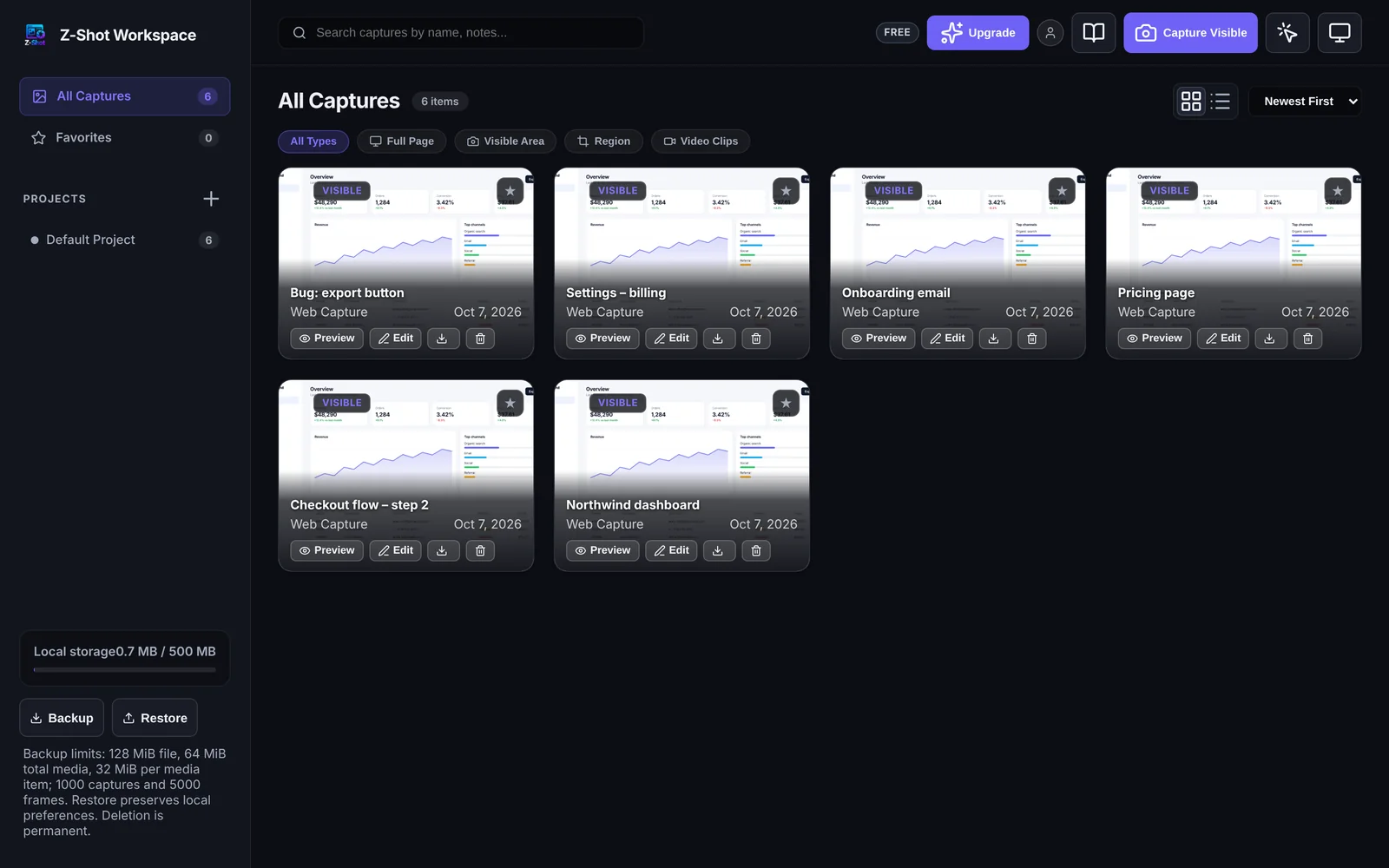
| Local gallery with projects, favourites & search | ||
| Step-by-step guides & bulk export | 5 / mo | Unlimited |
| One-click bug reports to GitHub, GitLab or Linear | 10 / mo | Unlimited |
| Upload & share links (your own S3/R2, Imgur, webhook) | 10 / mo | Unlimited |
| ▸ Team & support | ||
| Team seats & webhooks | — | |
| Priority email support | — | |
Developers, designers, support teams and founders use Z-Shot every day.
4.9 average on the Chrome Web Store · 10,000+ users
“The bug report button is the feature I did not know I needed. Screenshot, numbered steps, page details and console errors — straight into a GitHub issue.”
“Auto-redaction catches the emails and API keys in customer screenshots before we paste them into Slack. It feels like a safety net.”
“Browser frames, gradient backdrops and social sizes in one click. I make launch images without opening a design tool.”
“The step-by-step guide recorder turned a two-hour SOP into a ten-minute click-through. The exported HTML manual looks great.”
“Video Studio in the browser is the real surprise: zoom regions, trims and a nice backdrop, exported as MP4 for my demo.”
“OCR that runs on my laptop, numbered steps and full-page capture — my documentation screenshots finally look consistent.”
Go ahead — press the shortcuts on your keyboard. They work exactly like this in the extension.
Press a shortcut on your keyboard — or click one in the list.
You can change the capture shortcuts in Chrome at chrome://extensions/shortcuts.
Every update is free for your plan
All releases →You need a free ztooly.com account — sign in with Google or email in a few seconds. No credit card. Your plan and free allowances then follow you to every browser.
Capturing, annotating, blur and export are free without limits. Recording, OCR, auto-redaction, mockups, guides, bug reports, uploads and the rest are free too, with a monthly allowance (for example 25 recordings of up to 5 minutes). Allowances reset on the 1st of each month. See the comparison table.
No monthly limits on anything, recordings of any length, your own logo or text watermark, team seats, an unlimited local gallery and priority support. One plan, billed monthly, cancel anytime.
Yes. Click Sign in in the extension: it opens ztooly.com, and once you sign in or create your account there, the extension signs in by itself and Pro turns on. No license key to copy.
In your browser, on your computer. Nothing is uploaded unless you choose an upload destination or send something to your team.
Yes. Capturing, editing, OCR and redaction all work offline. Pro checks your plan online at least once every 24 hours.
Pro includes 3 browsers per seat. You can sign a browser out from your account on ztooly.com at any time, for example when you get a new laptop.
Yes. Connect your bucket once in your portal; uploads go straight from your browser to your storage and you get a link to copy. Your keys are stored encrypted.
Every paid plan has a 14-day money-back guarantee. Contact support or request it through Paddle. See the refund policy for details.
Still have a question? Contact us — we usually reply within a day.
Free to install — sign in with Google or email, no card. Almost every tool is included; upgrade to Pro only when you want no limits.
Free account · No card · Captures stay on your computer